Mobile Vault Upload in Crescent 360

This user guide will demonstrate how to upload files into your Crescent 360 Vault from your mobile phone. This is handy when you need to take a picture of a document or ID and securely send the photo to your Advisor.

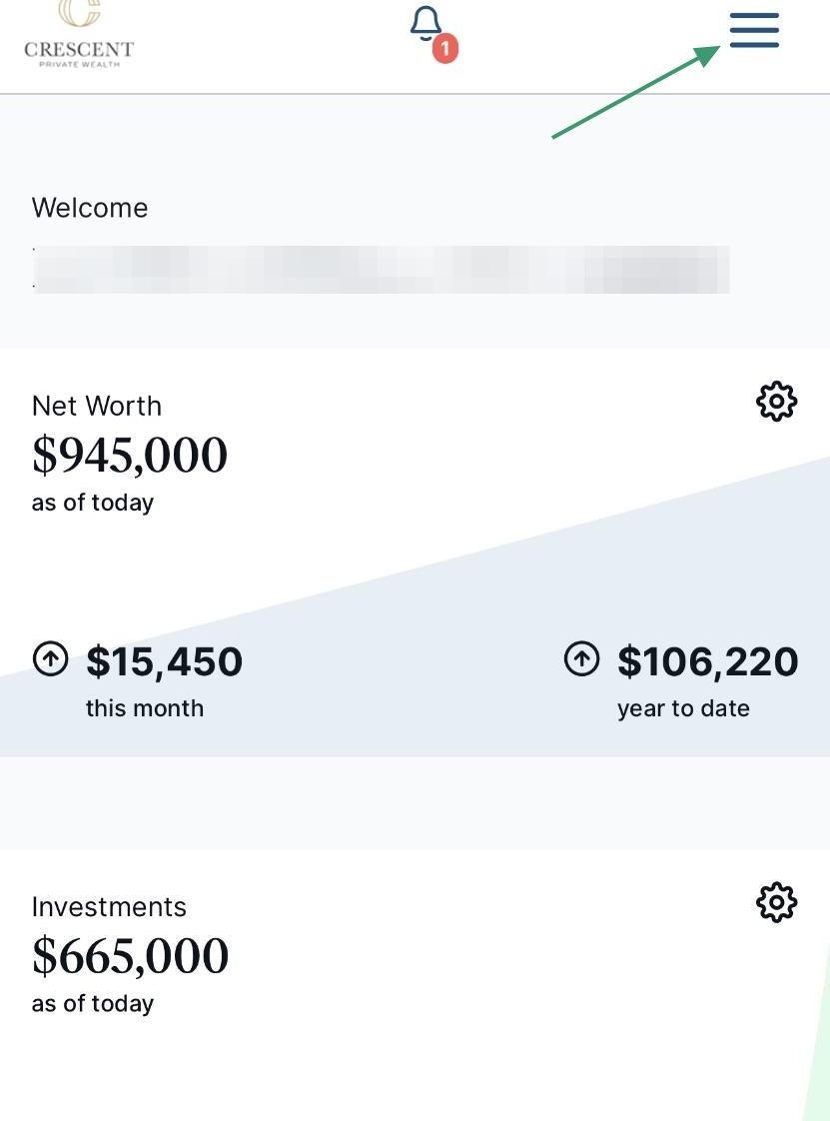
1. The Vault is where you can access all previously uploaded files and upload new files. Accessing your Vault from your mobile phone is simple. Click the 3-line hamburger menu and select Vault from the drop-down.
2. You can upload files into My Private Documents and Shared Documents. Use My Private Documents for personal items, as the contents of this folder are only viewable by you. The Shared Documents folder is where you should upload any files that will be useful for our team.

Click on Shared Documents to open the folder.

3. Once you have opened the folder where you want to store your file, click on Upload and select Files.
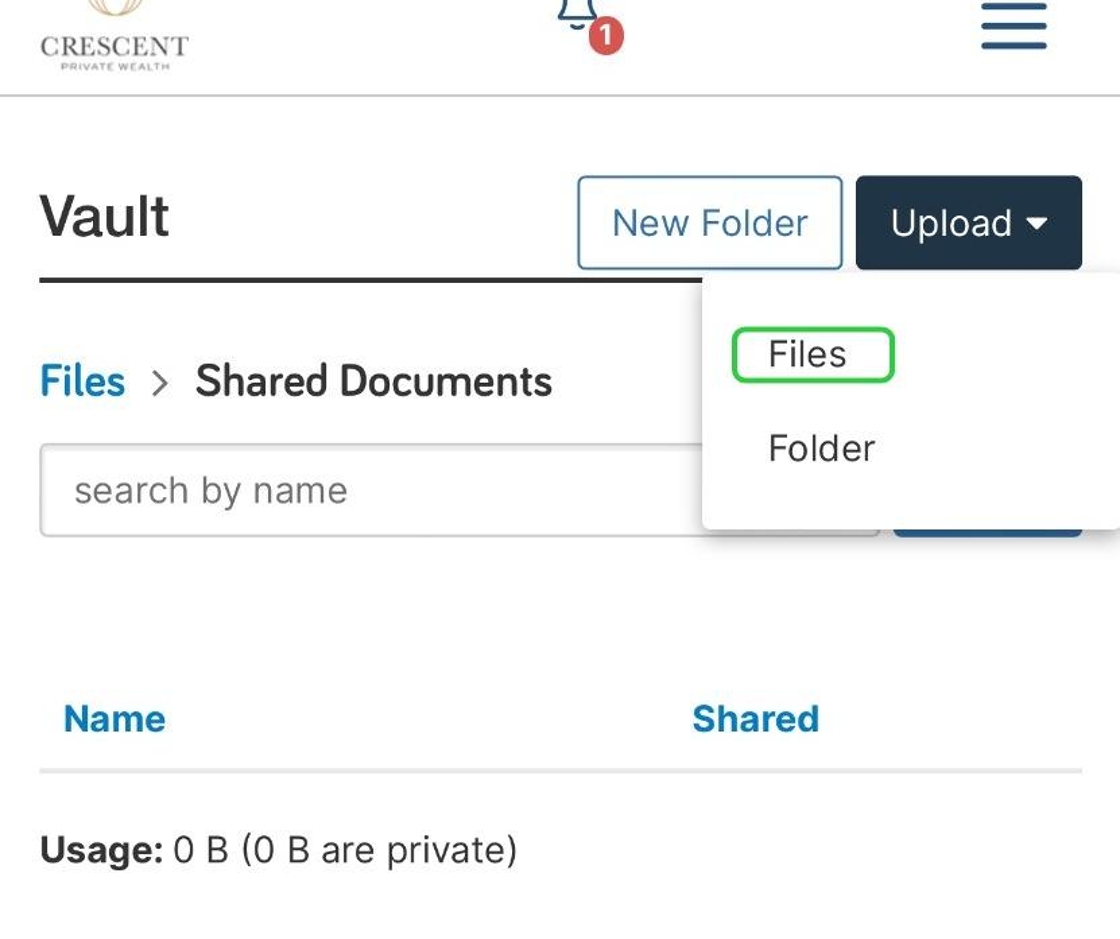
4. You can select to upload a photo from your phone’s library, take a new photo or video or select a file.

Tip: Congratulations! Your file is now uploaded. If you have uploaded a file to the Shared Documents folder, your Advisor team will receive a notification and will review the file shortly.

Partner
with
Purpose

When your wealth carries complexity, your advisory relationship should carry clarity. 

Client-Centered Process

Your Vision, Our Focus. From discovery to design, implementation to ongoing refinement, we take the time to understand your needs and values. We craft every financial strategy with intention and tailor partnerships grounded in your goals, values, and vision for the future.

Guiding Principles

Our strategies are grounded in principles that reflect discipline, alignment, and long-term stewardship. We don’t chase market trends, we build durable, value-based plans that evolve with you. Every decision is made to support sustainable wealth, preserve your legacy, and elevate purpose into meaningful impact.

We are using cookies to give you the best experience. You can find out more about which cookies we are using or switch them off in privacy settings.
AcceptPrivacy Settings

GDPR

  • Financial Disclosures

Financial Disclosures

Check the background of your financial professional on FINRA’s BrokerCheck.

All investing involves risk, including loss of principal. There is no guarantee the investment process will lead to profits. Past performance of any security or strategy is no guarantee or indication of future results or performance. Market conditions change continuously.

Securities offered by Registered Representatives through Private Client Services. Member FINRA / SIPC. Advisory services offered by Investment Advisory Representatives of RFG Advisory, LLC (“RFG Advisory” or “RFG”), a registered investment advisor. Private Client Services, Crescent Private Wealth and RFG Advisory are unaffiliated entities. Advisory services are only offered to clients or prospective clients where RFG Advisory and its representatives are properly licensed or exempt from licensure. No advisory services may be rendered by RFG Advisory unless a client agreement is in place.

RFG Advisory is an SEC-registered investment adviser. SEC registration does not constitute an endorsement of RFG by the Commission, nor does it indicate that RFG or any associated investment advisory representative has attained a particular level of skill or ability.

RFG Advisory Part 3, Form CRS, RFG Advisory Form ADV, Part 2A, Investment Advisor Public Disclosure, RFG Advisory Privacy Policy.

The Registered Representative(s) of PCS referenced on this website may only conduct securities business in the states in which they are currently registered. For a list of a Registered Representative’s current registered states, please visit FINRA’s BrokerCheck.